
Where it used to be guesswork
Case study
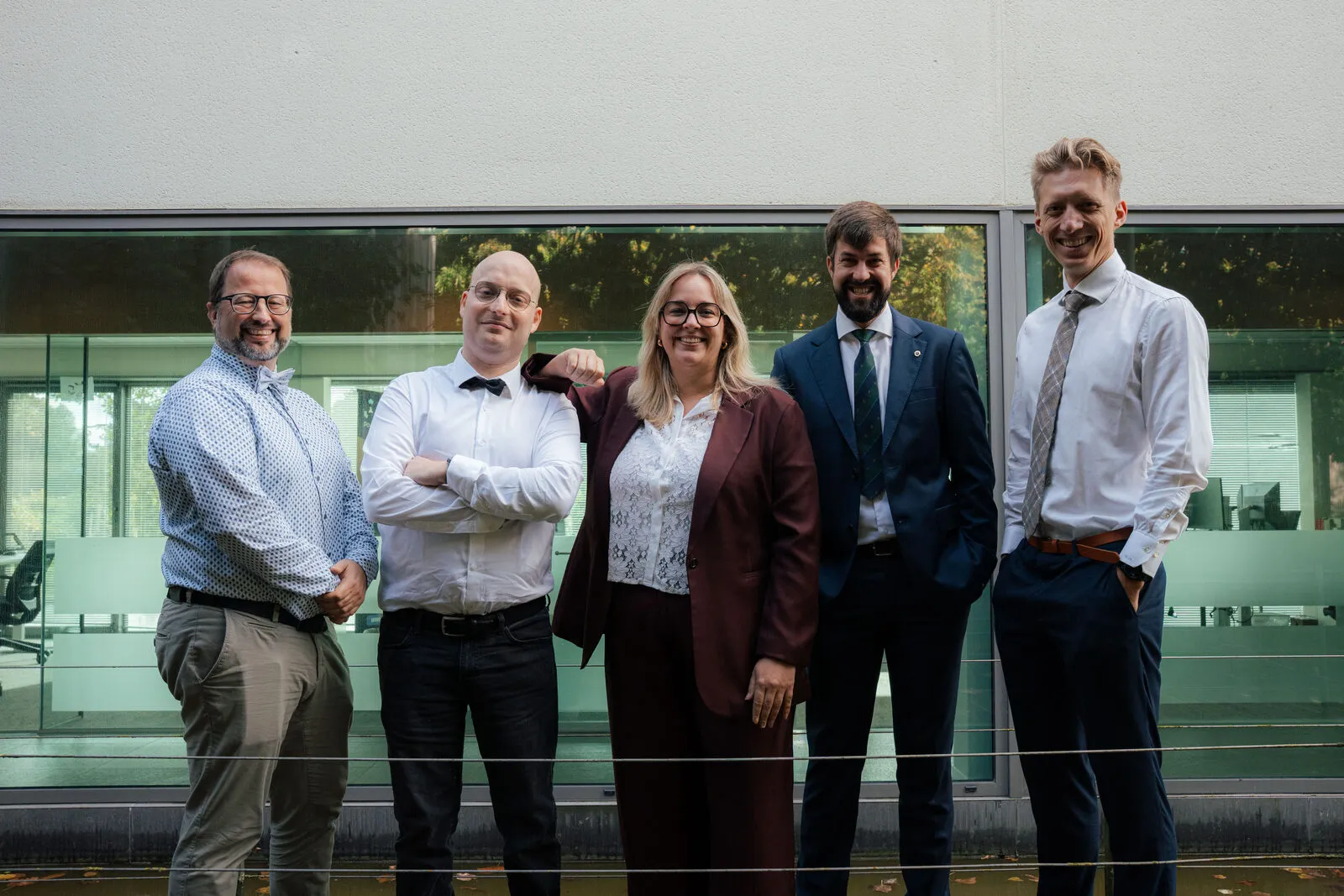
ConXioN is a strategic IT partner with its headquarters in Waregem, Belgium, and has worked with Autotask for decades. Wiebe Marichael, PMO Lead, and Koenraad Van Tieghem, IT Services Coördinator, run the planning of its engineers. The dispatch calendar in Autotask was enough until two or three years ago, when ConXioN grew past what that calendar could show.
In 2020 ConXioN brought in Dxfferent to improve its existing Autotask setup. When it added Proxuma as the planning and capacity layer, the onboarding was run by that same company. This is what changed.
Capacity view
A month of capacity
is what the PMO now reads, as well as the week, so it knows sooner when someone can be planned in. The dispatch calendar showed five days at a time.
Service calls
One call, several days
is how a multi-day job is planned now, dragged across the days it needs or set to recur. It used to be service call after service call.
Budget round fiscal 2027
Billable, per profile
is what the PMO could show the business this year: how far ahead each profile is planned and how much of it is billable.
Where it was often guesswork before, we have been able to give some insight into how billable a profile can actually be.
Wiebe Marichael, PMO Lead, ConXioN. Quotes are translated from Dutch.
Customer
ConXioN
Location
Waregem, Belgium
PSA
Datto Autotask
Autotask partner
Dxfferent, since 2020
Proxuma features
Capacity view, multi-day and recurring service calls, Teams meetings
The challenge
The dispatch calendar had done the job while there were far fewer people to plan. It shows five days at a time and, in Koenraad’s eyes, no picture of capacity.
The Autotask to Outlook sync ran 30 days ahead. Projects were being planned well past that, so the planners looked in two places.
A project showed as a list of tasks, with no chronological, visual view of how it was planned.
Booking a Teams call meant agreeing a time with the customer, then asking the engineer to send the invite.
The solution
Proxuma as the planning and capacity layer on top of Autotask, which stays the system of record. Engineers stay in Autotask and Outlook.
Capacity read per month as well as per week, so the PMO knows sooner when someone can be planned in.
One service call dragged across the days it needs, or set to recur, instead of service call after service call.
A forecast becomes a Teams meeting once the customer confirms, and everyone who needs an invite has one.
How did ConXioN plan before Proxuma?
In the dispatch calendar, and for a long time that was enough. Wiebe puts the turning point two or three years back, when ConXioN had far fewer people to plan. Koenraad, who runs the planning with Wiebe, starts with the width of the view.
You can see five days at most in the dispatch calendar. A capacity overview, in my eyes, you simply do not have there. You see what is planned, but not the capacity view you see in Proxuma.
Koenraad Van Tieghem, IT Services Coördinator
Two more things sat outside the view. The Autotask to Outlook sync ran 30 days ahead, and ConXioN was doing more and more large projects planned well past that, so beyond the month the planners looked in Outlook instead. A project, meanwhile, showed as a list of tasks, with no view of where it sat in the calendar. When you are small, Koenraad says, most planning fits inside 30 days; at ConXioN’s size you want one view of capacity and planning, not something collected from different places, even though the data itself was all in Autotask.
Why did you choose Proxuma?
ConXioN wanted a more visual and more user-friendly way to plan, and above all a better understanding of its capacity, so it could plan its own people more efficiently. That was the whole brief.
The company across the table was not new to ConXioN. ConXioN has run Autotask for decades, and in 2020 it brought in Dxfferent to improve the setup it already had. Neither Wiebe nor Koenraad was involved in that work at the time.
We spoke with a partner who understands how Autotask, the underlying system, is configured. So we could start fairly quickly in a well-configured Proxuma environment, with the time and room to test it thoroughly before the final decision.
Wiebe Marichael, PMO Lead

What has Proxuma changed for ConXioN?
The clearest change is capacity. Because the PMO now reads a month at a time as well as a week, it is, in Wiebe’s words, a lot more flexible about when someone can be planned in. Planning people onto projects, he says, is at any rate a lot more efficient.
Koenraad’s example is the Teams call, which planning could not book itself because it had no hand in the engineers’ calendars.
From Proxuma that is very simple. You put in a forecast, the customer confirms, you turn it into a Teams meeting, and everyone who needs an invite has received it.
Koenraad
Not everything has moved over. Wiebe says the project module is still used too little so far, and Koenraad still creates some service calls from Autotask, partly out of habit, partly because he finds the ticket overview there slightly better for judging priority. The release rhythm, Wiebe says, is a bit faster than the PMO can absorb in a structured way, something ConXioN has to work on: it has decided to take ownership of new releases more structurally.
The engineers kept their tools. The planners got the view.
What is it like to work with Proxuma?
Joshua Monsieurs, who built Proxuma, took ConXioN through the implementation. Koenraad says it is really nice to be able to bounce things off someone who knows both systems well: Autotask, and in Proxuma’s case, what he built himself. It went both ways: Proxuma’s side also looked at where ConXioN might adjust its own flow.
Having a certain flow does not make it automatically the right flow.
Koenraad
Wiebe says the people behind it are honest about the strengths and about where there may still be room for optimisation, and that ConXioN would much rather know.

What is the vision for the future?
To carry what the PMO can see into the rest of ConXioN. So far the focus has been on planning more efficiently; the next step, over the coming years, is to tell the business units when their capacity is short for the work coming in.
Thanks to Proxuma we can make that very visible: when we as PMO struggle to plan tasks because a team has too little capacity, we can give that team a signal. Time to raise your capacity, through training or by hiring extra profiles.
Wiebe
When for certain teams we are suddenly looking at planning something within four months, within six months instead of next week or next month, that is the trigger to say: dear business unit, your capacity is too low for the inflow of work.
Wiebe
The advice that goes with it is concrete: add people, or double up on certain skills.
The same picture fed this year’s budget round. ConXioN’s fiscal year starts in October, and for fiscal 2027 the PMO could show per profile how quickly people get planned in, how far ahead, and how much of it is billable. Wiebe expects those budgets to be a good deal more realistic as a result.
That advisory role we can take on for the other teams inside ConXioN is, for me, in large part thanks to Proxuma.
Wiebe
About ConXioN
ConXioN Group is a strategic IT partner that inspires and guides organisations through their digital transformation, with expertise in Modern Workplace, Connectivity, Hybrid Cloud, Data & AI, Business Applications, Security and Managed Services. Active in Belgium and the Netherlands since 1997, ConXioN today has more than 250 employees and 10 locations, including its headquarters at the ConXioN Campus and the ConXioN Experience Center in Waregem. More at www.conxion.be
About Proxuma
Proxuma is planning and capacity management for MSPs running Autotask, built by Dxfferent, the Autotask consultancy ConXioN has worked with since 2020. It sits on top of the PSA and answers one question: who is available, and for what. More at proxuma.io and dxfferent.com.
// Customer story · ConXioN
See what your capacity looks like with real data behind it.
Proxuma sits on top of Autotask and answers the question ConXioN’s PMO put to it: who is available, and for what. Book a slot and we will go through it on your own setup.
Schedule a demo