
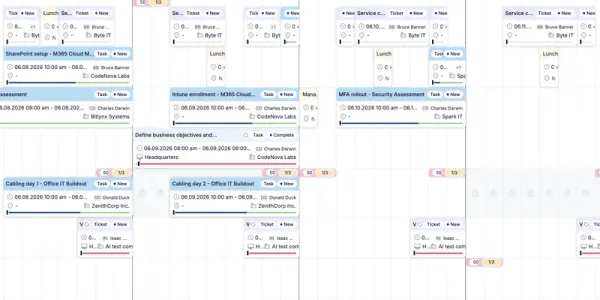
Drag & drop ease
Create or reschedule service calls straight on the calendar. Every move syncs to Autotask instantly.
Proxuma Resource Management
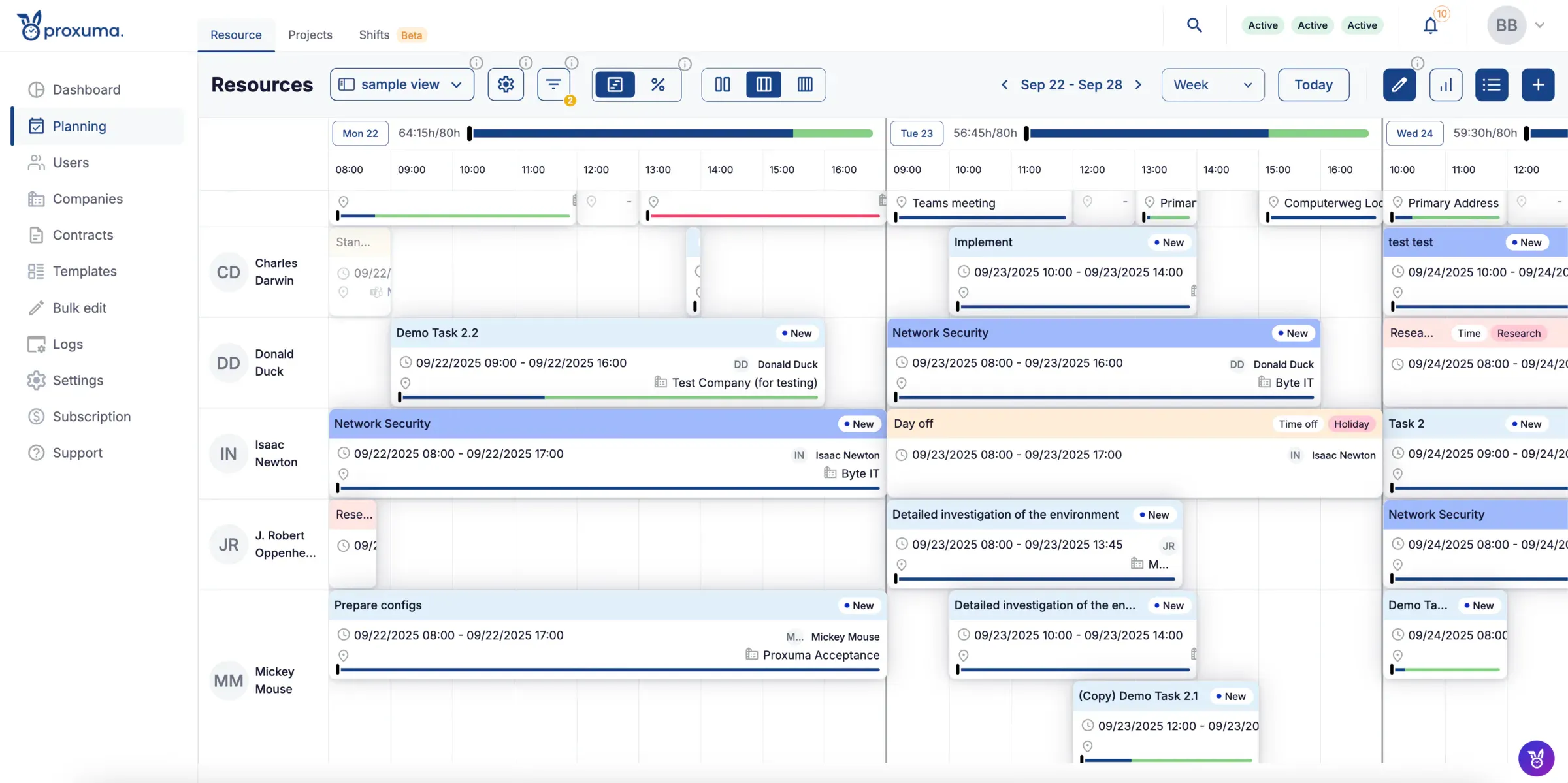
Stop juggling spreadsheets and manual schedules. Proxuma turns your Autotask workload into one live, visual resource management board. Drag, drop, and see who's doing what, when and where.
Synced with Autotask 2 min ago
Trusted by










What you get
Everything you need to manage your team's resources from one screen, connected live to Autotask.
Drag & drop scheduling
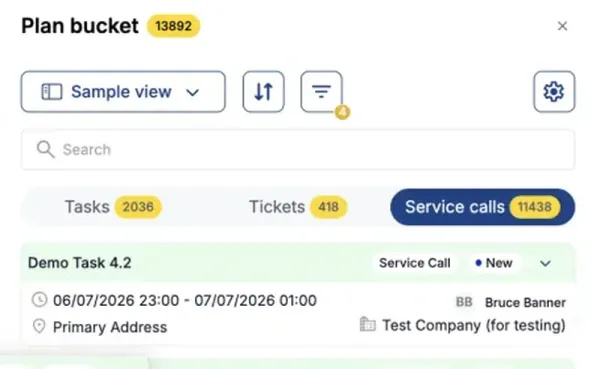
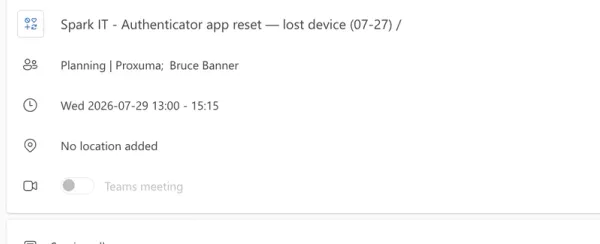
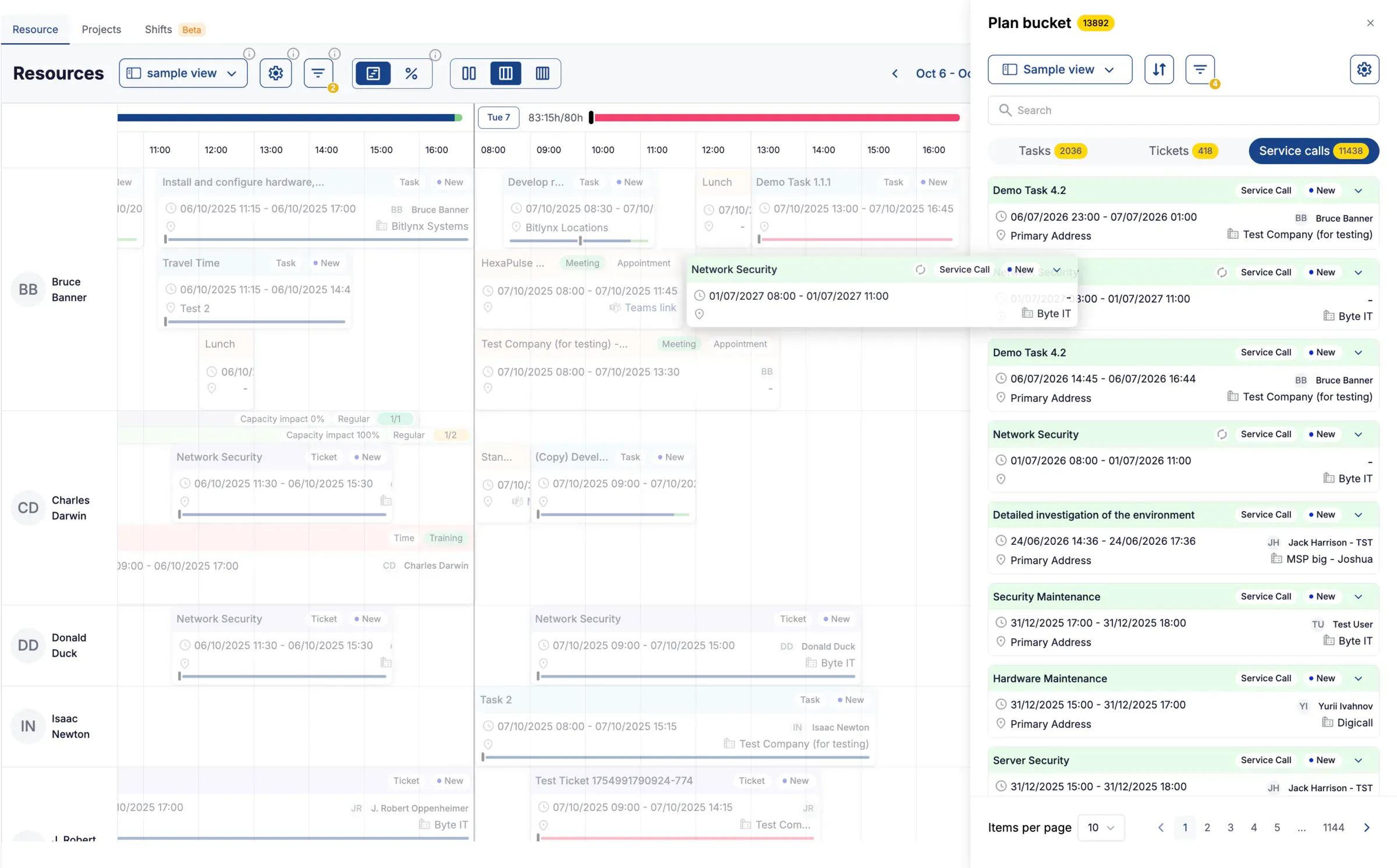
Create or reschedule a service call directly on the calendar. Drop it on the right technician and time slot and it's planned, Autotask updates the moment it lands.
Resource capacity
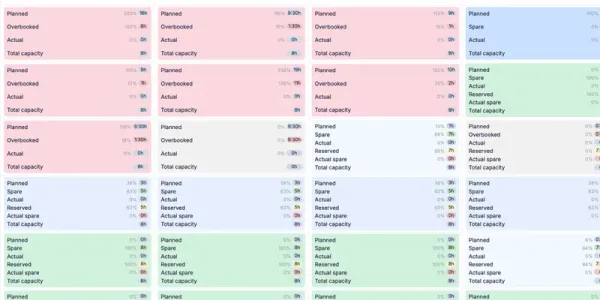
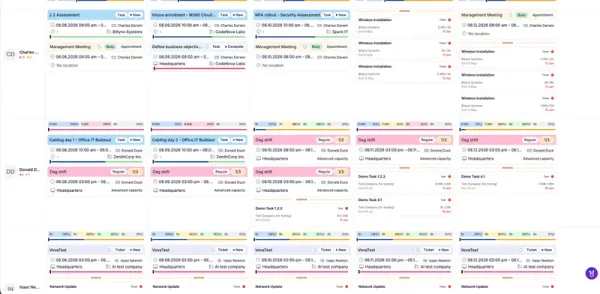
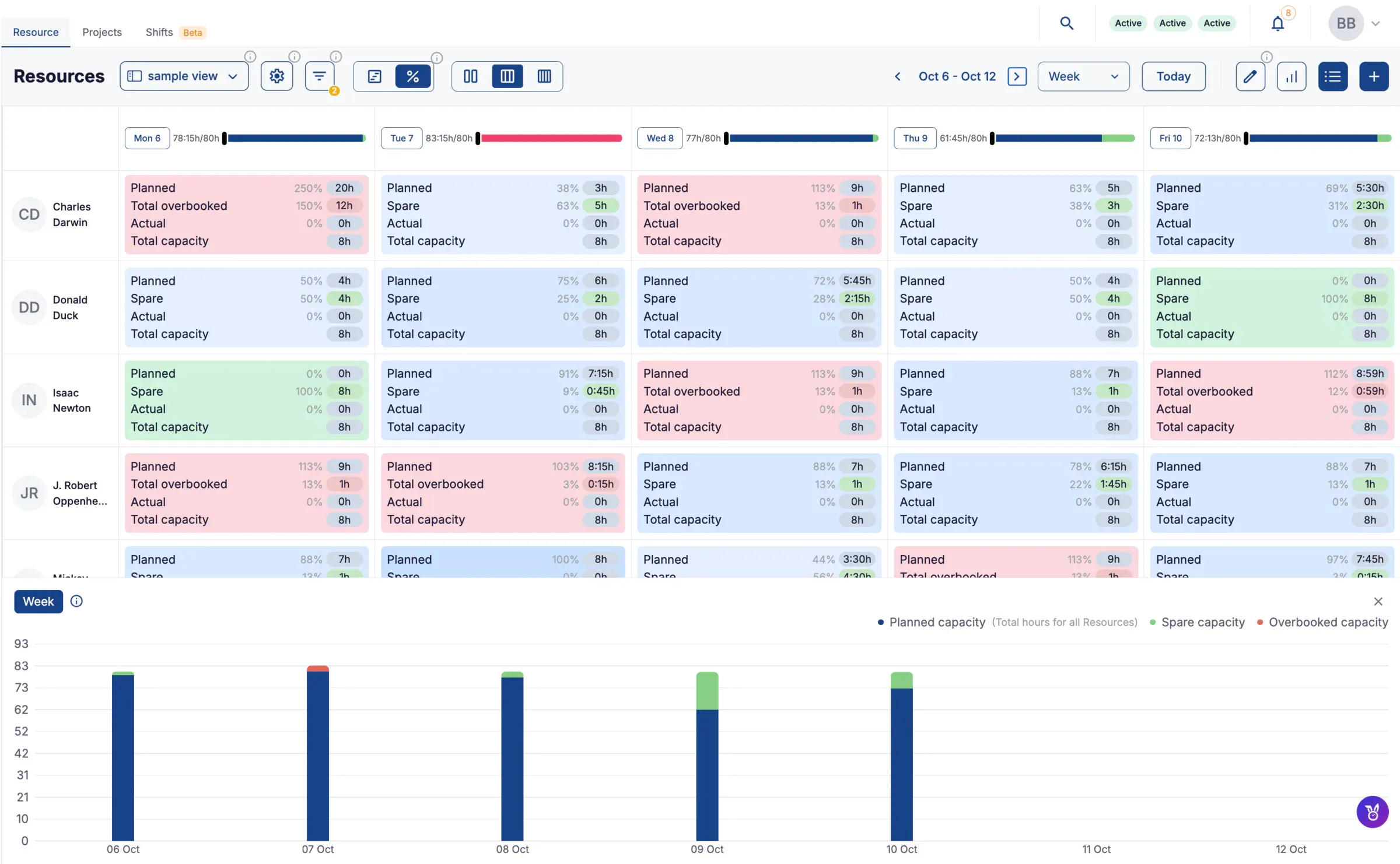
A task list can't tell you who's overwhelmed. Proxuma combines work from Autotask with real calendar commitments from Outlook to reveal each engineer's true workload, so you can see who's running at full speed and who has room to help.
Reserved capacity
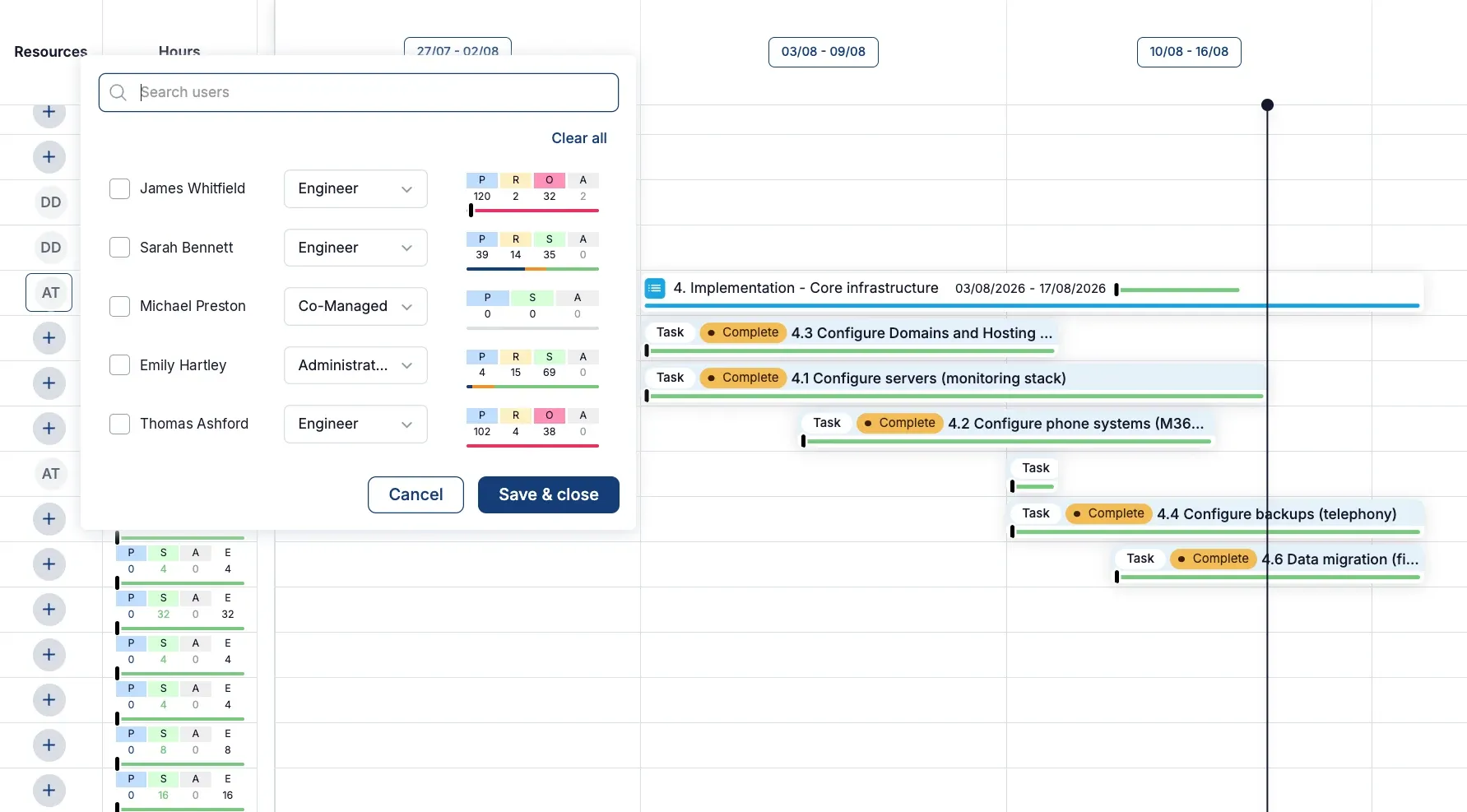
Whether work is scheduled as a service call or simply assigned, it still consumes capacity. Reserved Capacity uses Autotask estimates to make that demand visible, giving you a complete view of workload and resource availability.
Looks free
5h
Genuinely free
2h
Outlook integration
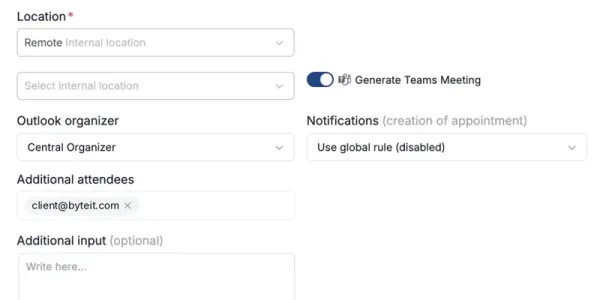
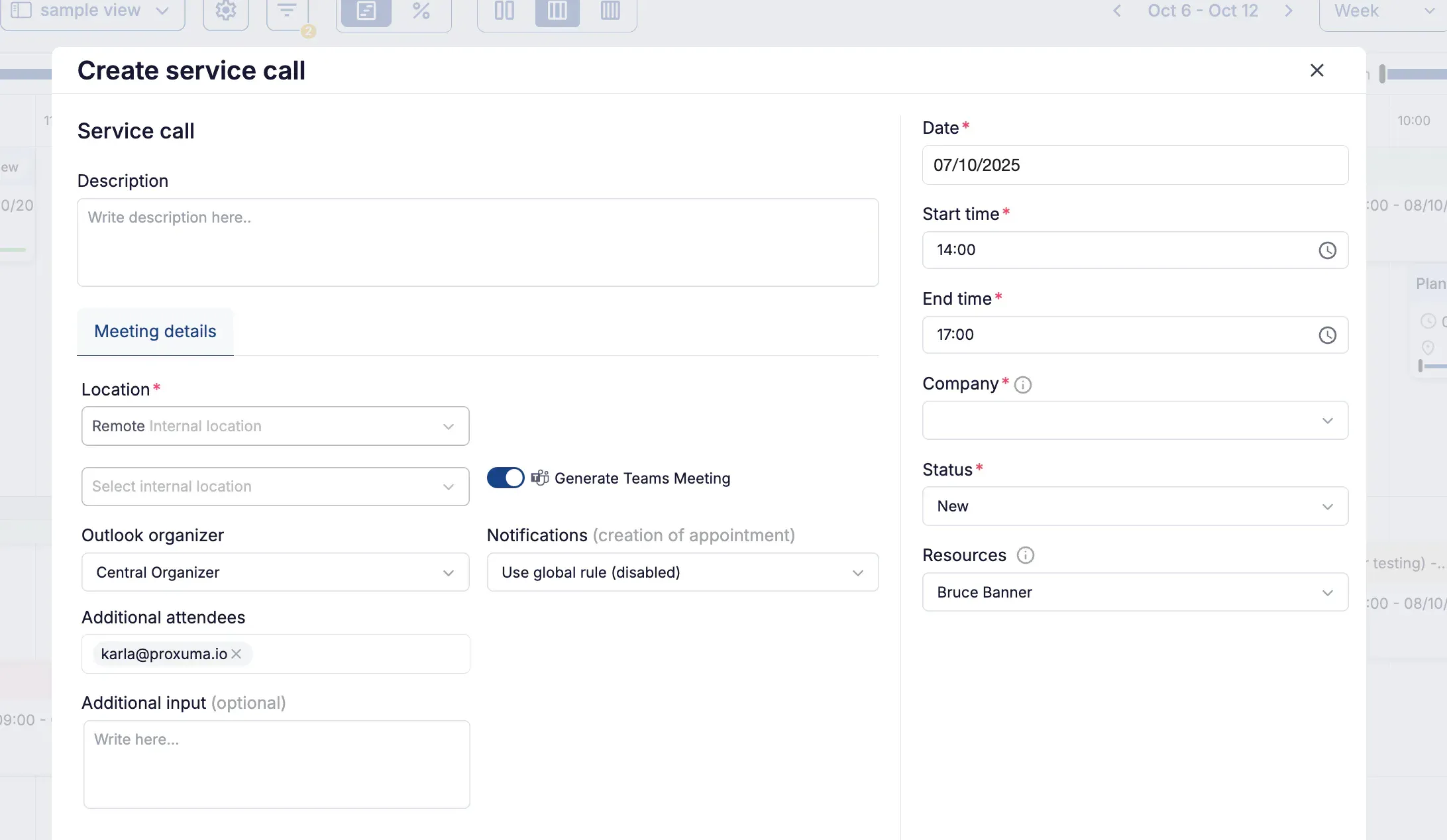
Scheduling should be centralized, not scattered across inboxes. Proxuma uses a shared Outlook address to coordinate appointments, keeps calendars continuously aligned, and connects every invite directly to Autotask so engineers can log hours in a single click. See how the Outlook integration works.
Customers
Proxuma has helped us get a clearer view of scheduling, shifts and resource capacity across the team. The team have been very responsive to feedback and willing to work through any issues with us. For us, the value is in making the operational picture easier to see, without turning it into micromanagement.
Resource management

At a glance I can see what someone's week looks like. You just can't do that in Autotask or Outlook.
Planning

Planning in Proxuma is a lot more efficient than in Autotask.
Planning

When a lot of projects get approved at once and I have to plan them straight away, Proxuma helps me enormously.
Planning

Engineers can work at Projects but also work on day-to-day tasks and tickets. The combined overview of both tasks and tickets and smart filters helps our planners to plan fast and reschedule even faster. As an owner I love that I have a live overview of the workload, and the automation saved us so much time. Definitely give it a try!
Planning

We have used Proxuma since the very beginning, starting with version 1. Combined with Autotask PSA, it has made creating and planning projects significantly easier. The intuitive, colour-coded capacity overview gives us a clear view of our team's availability and helps us plan resources with confidence. Proxuma has become a valuable part of how we manage projects and capacity at Perspektiva IT.
Resource management

Proxuma has helped us get a clearer view of scheduling, shifts and resource capacity across the team. The team have been very responsive to feedback and willing to work through any issues with us. For us, the value is in making the operational picture easier to see, without turning it into micromanagement.
Resource management
At a glance I can see what someone's week looks like. You just can't do that in Autotask or Outlook.
Planning
Planning in Proxuma is a lot more efficient than in Autotask.
Planning
When a lot of projects get approved at once and I have to plan them straight away, Proxuma helps me enormously.
Planning
Engineers can work at Projects but also work on day-to-day tasks and tickets. The combined overview of both tasks and tickets and smart filters helps our planners to plan fast and reschedule even faster. As an owner I love that I have a live overview of the workload, and the automation saved us so much time. Definitely give it a try!
Planning
We have used Proxuma since the very beginning, starting with version 1. Combined with Autotask PSA, it has made creating and planning projects significantly easier. The intuitive, colour-coded capacity overview gives us a clear view of our team's availability and helps us plan resources with confidence. Proxuma has become a valuable part of how we manage projects and capacity at Perspektiva IT.
Resource management
Proxuma brings our planning, projects and capacity together in one place. It's the only complete tool we have.
Planning
With a big workload it's important to be 100% in control, but it's hard to have a clear overview. Proxuma gave us back control, and through simple drag and drop features planning a task is done within seconds. We work with Autotask and love the full integration directly from the dashboard.
Planning

Proxuma helps us enormously to place structural blocks in the calendars of all our operational teams, so everyone has the time and room to take on their roles.
Resource management

As an owner Proxuma gives me the insights I like to see. With Proxuma we eliminated the need for back-and-forth, and everyone in the team knows who's working on what. The year overview helps to identify and prevent bottlenecks before they happen.
Resource management

Proxuma gives us a single pane of glass for all our customers. No one else in the Netherlands offers that.
Planning

I use the plan bucket intensively. It works brilliantly for me.
Planning

The out-of-the-box Autotask integration takes away the hidden cost of a consultant building integrations for us. That's perfect.
Resource management

There are very few tools that handle both planning and capacity. Proxuma does.
Planning

Proxuma has transformed how we manage projects and coordinate service calls. It centralizes planning, improves time visibility, and optimizes resources across Autotask and Outlook. The real-time integration keeps schedules accurate, and the support team is responsive and proactive. A reliable, strategic tool for our operations.
Project management

Proxuma really does everything we need. I'm genuinely enthusiastic about it.
Planning

One of our biggest challenges was understanding resource capacity and accurately planning project work in Autotask. Proxuma provided the visibility we needed to confidently allocate work, balance workloads, and improve project planning. We were pleasantly surprised by the value Proxuma's Shifts brought as well. It has become an essential tool for coordinating and managing our support team's day-to-day schedules.
Resource management

Autotask just isn't built for this. That's exactly why we signed up for Proxuma.
Why Proxuma

We get live support instead of being handed a product and told good luck. My expectations are blown.
Support

Proxuma simply offers so much more than the competitors we looked at.
Why Proxuma

We have used Autotask for many years but never knew that we wasted so much valuable time with repetitive tasks. We love Proxuma!
Why Proxuma
Why planners love it
Every feature exists to save the planner time and take a manual step off the board.
Colour tells you the state before you read a number
Every engineer is a row and every day a column. The bar under each day splits into planned hours, reserved work and spare capacity, so a week that is already full shows up as a shape instead of a number you have to go looking for.
Both directions, so nothing is typed twice
Drop a service call on the board and Autotask has it the moment you let go. Change it in Autotask and the board catches up. Outlook items are read back too, so a meeting someone booked themselves still takes capacity off the day.
The calendar fills without anyone accepting anything
Appointments go out from one central Outlook address and come back already accepted, so engineers never work through a queue of invites. Each one carries a deeplink to the Autotask ticket it was scheduled for.
An hour to set up, then it runs on your own data
Register, connect Autotask, and you are ready to plan. The initial sync can take up to 24 hours depending on the size of your database, after which the board is your live Autotask.
FAQ
Everything you need to know before getting started.
You can decide for yourself: the trial is 14 days, completely free, no strings attached, with a monthly commitment after that. Testing is low-impact, after connecting, you can start immediately, and an unused Proxuma instance won't affect your Autotask at all.
Proxuma is built for planners and project managers first. Engineers see their timeline and projects in Proxuma, and in their Outlook every appointment carries a deeplink to the ticket you scheduled for them. Not everyone has to adopt it for the MSP to get the value.
Setup is done within 1 hour: register, connect, and you're ready to go. The initial sync can take up to 24 hours depending on the size of your database. Premium onboarding is free, book a call with one of our specialists and we help you get started.
Autotask is the first platform we fully connect with. Proxuma is built for multiple integrations and we can connect to any PSA vendor with sufficient API access, we prioritise new integrations based on demand.
Yes. Create projects from scratch or from a template and slot them into place by dragging and dropping. Bulk edit moves multiple tasks or projects on the fly. From beginning to end, your project happens completely in Proxuma.
Pricing is at proxuma.io/pricing. No minimum purchase, no onboarding fee, no commitment beyond monthly at first. Later, commit for 12 or 36 months to lock in your price with an automatic 10% or 20% discount.

The story of Proxuma
After helping 200+ companies optimise Autotask through his consultancy Dxfferent, Jasper kept meeting the same problem: everyone loves Autotask, but insight, grip and planning fall short, which makes the work time-consuming and annoying.
Clients kept asking for a more efficient planning and project management process. So we built Proxuma, first for them, now available for you as well.

The consultancy behind Proxuma · Utrecht, NL






The Dxfferent consulting team Autotask, Power BI and IT Glue specialists, process designers and lead auditors in the latest ISO standards. Trusted by 200+ MSPs.
When software alone will not fix the process, the people who built Proxuma are one call away.
Combined with Autotask PSA, it has made creating and planning projects significantly easier. The intuitive, colour-coded capacity overview gives us a clear view of our team's availability and helps us plan resources with confidence.
Get started