
Autotask 2025.3: Key Changes MSPs Shouldn’t Ignore
Blogs
The next Autotask release (2025.3) is scheduled for June 4, 2025. While it’s not a major overhaul, it does include a few important updates that MSPs should prepare for.
These changes are subtle, but they directly affect how tickets are created, how checklists sync, and how emails are delivered. Below are the three updates we believe will have the biggest operational impact, and what you need to do about them.
1. Smarter Duplicate Detection in the Incoming Email Processor
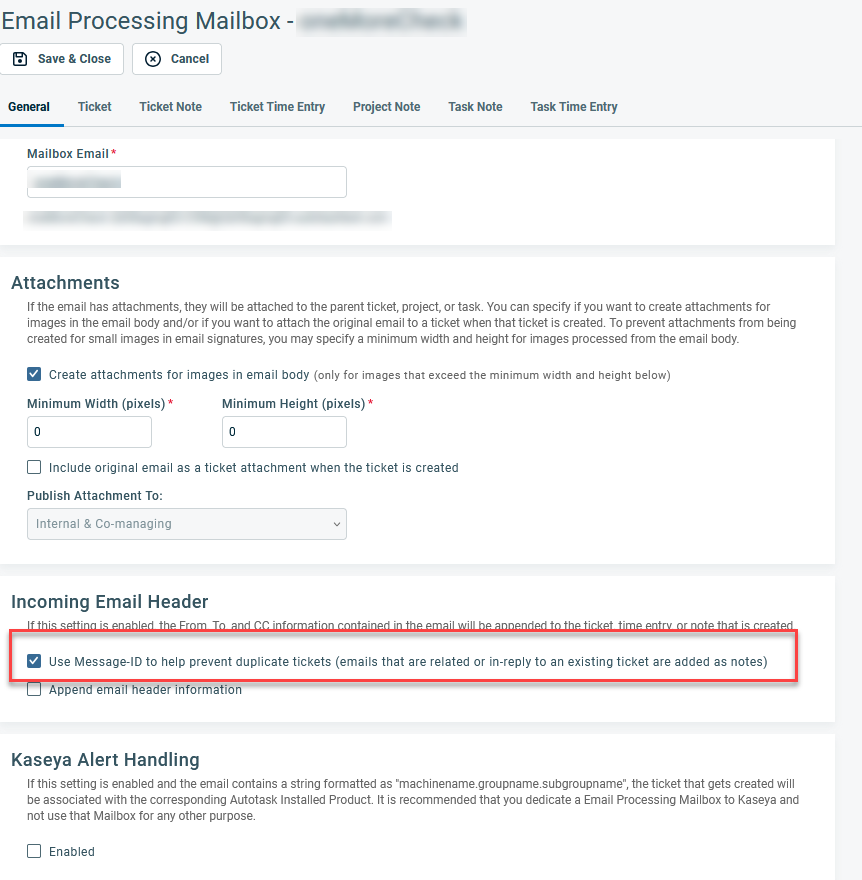
Autotask now includes a new option in the Incoming Email Processor: the ability to match on message-ID.
Why it matters:
When customers reply to an email chain or send multiple emails about the same issue, Autotask sometimes creates duplicate tickets. Matching based on message-ID helps reduce this problem significantly.
What to do:
Once the release is live, enable message-ID matching in your Email Processor settings. This is configured per monitored mailbox.
2. Real-Time IT Glue Checklist Integration
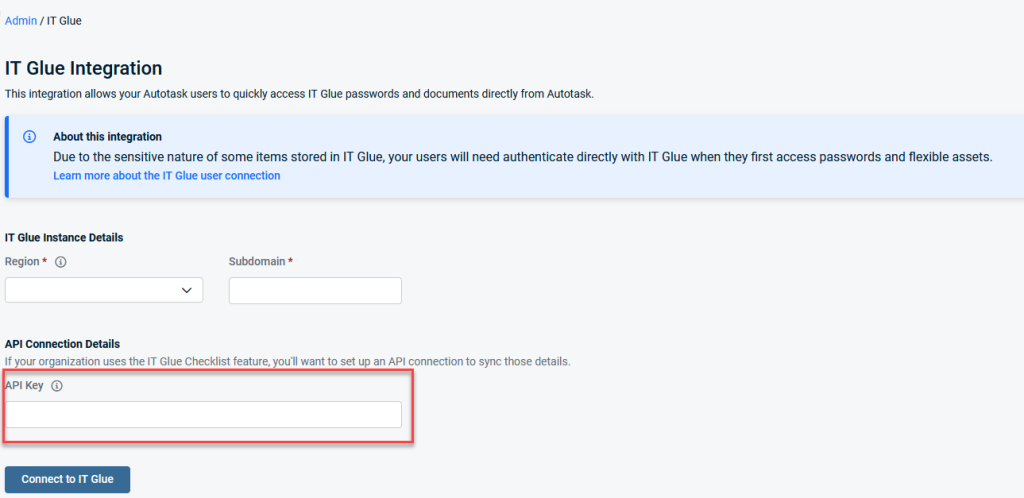
The integration between Autotask and IT Glue just got better. From now on, checklists from IT Glue will update in real time — no more waiting for background syncs.
Important: this new functionality only works if you add a new API key to your integration settings.
What to do:
Make sure you have an active IT Glue API key ready. Once 2025.3 is available, update the integration settings accordingly.
3. SPF Record Updates for Unvalidated Domains
If your Autotask instance sends emails from a domain that hasn’t been validated, this release introduces stricter SPF requirements. Without an updated SPF record, emails may be rejected or flagged as spoofed.
What to do:
Check whether your domain is validated inside the Autotask admin portal. If not, update your SPF record with the latest settings provided in the 2025.3 release documentation.
Final Note
These aren’t flashy new features, but they’re exactly the kind of updates that silently improve your setup or cause trouble if overlooked.
You can find the full release notes on Datto’s documentation portal once published.
https://psa.datto.com/releasenotes/Content/ENGLISH/2025.3ReleaseNotes.htmNeed help making the right configuration changes?
Proxuma is built to enhance and simplify Autotask, and our team is happy to help you make the most of it.