

Business development @ Proxuma
This article is reviewed by: Jasper van Horssen
Written on: Modified:
Blogs
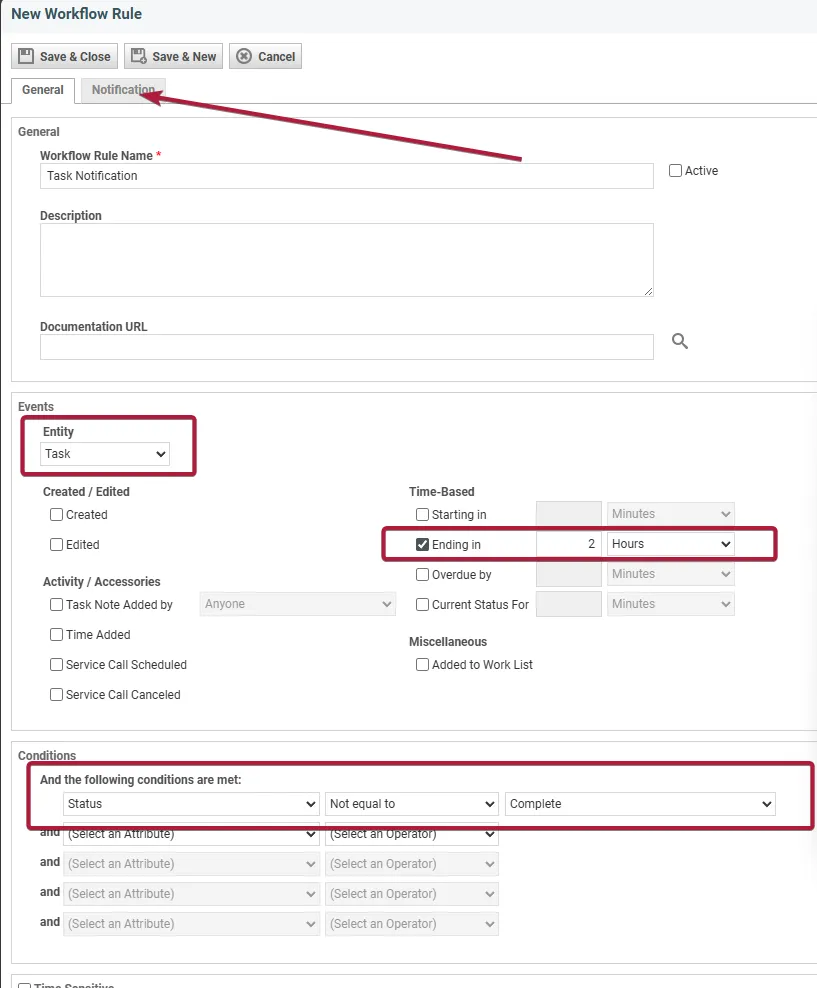
You know the scenario: a task with a 4:00 PM deadline, and the engineer only opens the task details at 3:58 PM. The client calls. Stress levels rise. And you wonder: “Why didn’t they get a warning before this went wrong?” Good news: in Autotask you can build an automation that does exactly that. An automatic email notification sent to the engineer when a task is about to expire.
Many MSPs still use Autotask as if it’s just a better version of Outlook. Tasks are listed, but notifications depend on luck: whether someone checks their mailbox, or happens to have the tab open. Yet a PSA is supposed to eliminate that risk.
This behavior points to a maturity level between 1 and 2 within the pillars Organisation and Data Driven. You allow task management to depend on personal discipline instead of systems that enforce behavior. As a result, your processes stay reactive, your data becomes unreliable, and customer satisfaction fluctuates.
With a time-based Workflow Rule at the task or ticket level, you can set up an automatic email notification for nearly overdue items. For example, the engineer gets an email two hours before the deadline.
🔧 Steps to configure automatic notifications for nearly overdue tasks:
Go to: Admin > Workflow Rules > New Workflow Rule
General tab
Entity: Task
Time-Based: Ending in 2 hours
Condition: Status not equal to Complete
Notifications tab
Tick: Assigned Resources and Primary Resource
Select a notification template
Tick: Create note from notification content
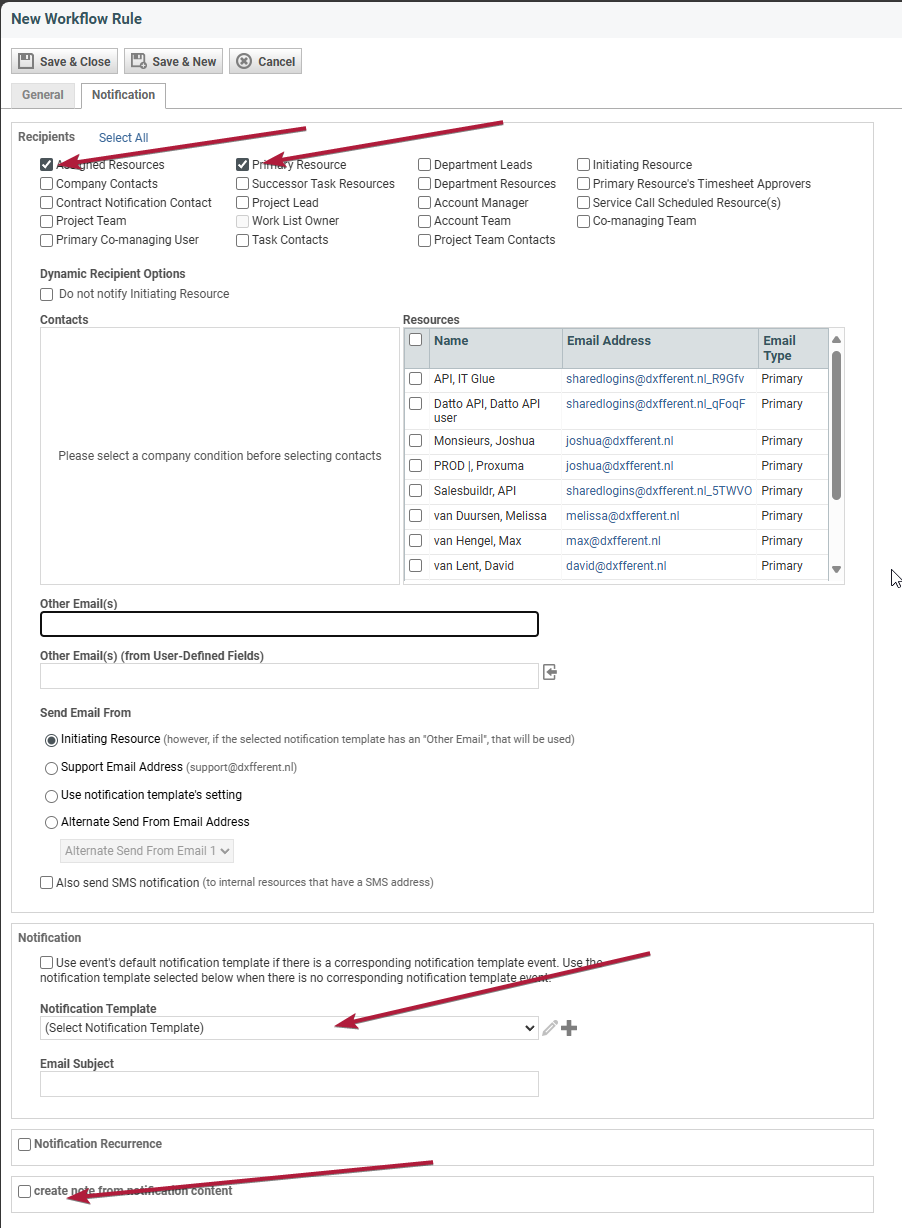
This way, the warning is also saved in the task notes, helping you demonstrate ISO 27001 compliance for incident detection (A.5.24 and A.7.8).
⚠️ Important: this automation works on time-based events.
Add a widget to the engineer dashboard with the filter:
Tasks due in < 4 hours AND Status not Complete
This ensures urgent tasks always appear at the top, even without an email.
👉 If you want even more control over task management, explore Proxuma, a drag & drop project management tool built for Autotask that goes far beyond email alerts. With bulk edits and real-time rescheduling, you can resolve calendar conflicts before deadlines become a problem.
Business development @ Proxuma
This article is reviewed by: Jasper van Horssen
Written on: Modified: