

Business development @ Proxuma
This article is reviewed by: Jasper van Horssen
Written on: Modified:
Blogs

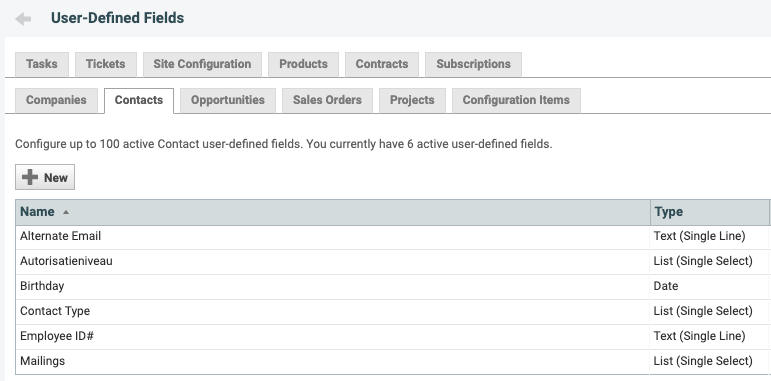
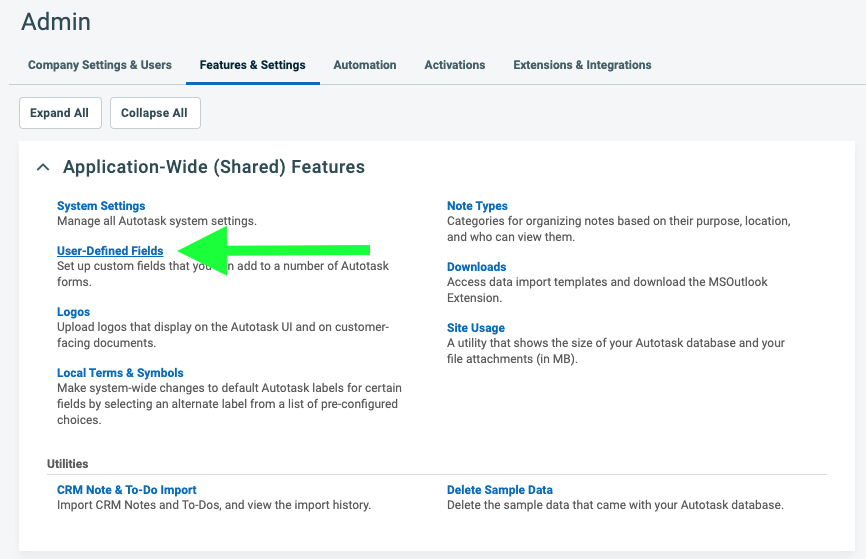 Next you will want to click contacts and add a User-Defined Field.
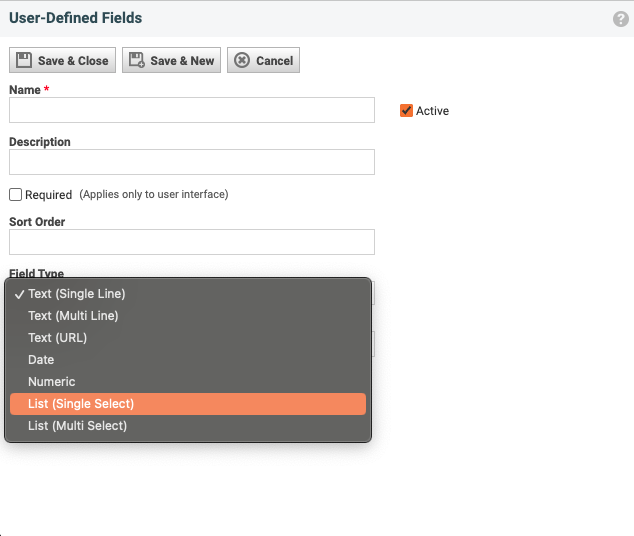
 Now you can go ahead and select single-select or multi-select.
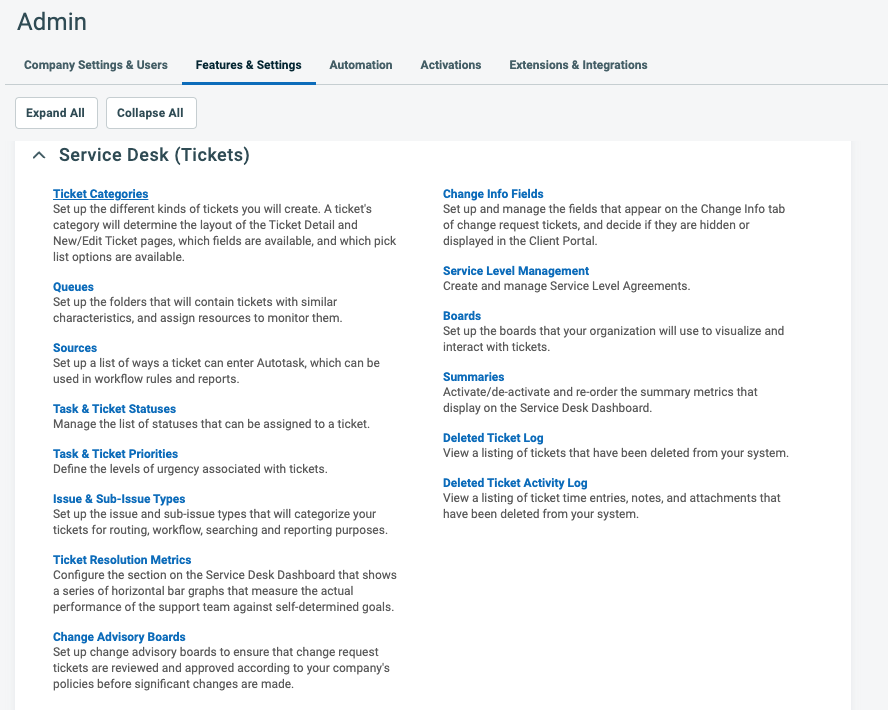 Choose the ticket category, press edit, and go to insights. Here, make the company/contact visible and right-click to customize the insight. The last step is to add the UDF, and you're done. Repeat these steps for all ticket categories you use.
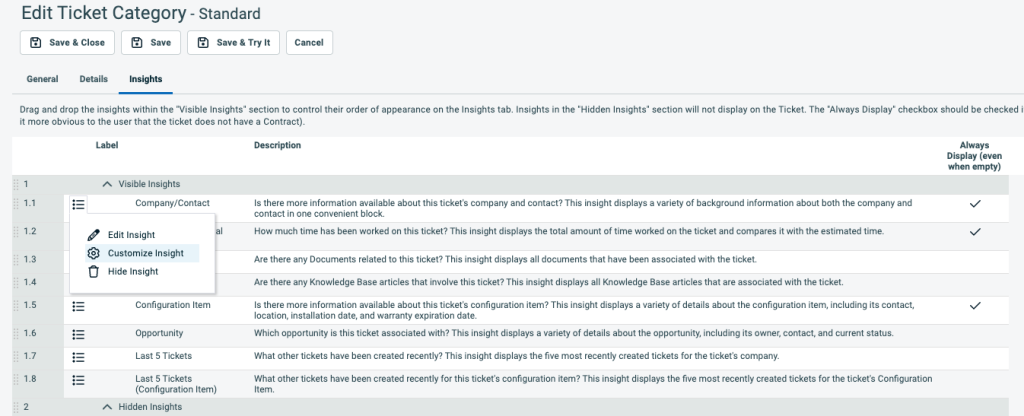 From now on, you can see the Authorization level on the top right of your screen by pressing on additional information.
Happy tracking!
Business development @ Proxuma
This article is reviewed by: Jasper van Horssen
Written on: Modified: