

Business development @ Proxuma
This article is reviewed by: Jasper van Horssen
Written on: Modified:
Blogs
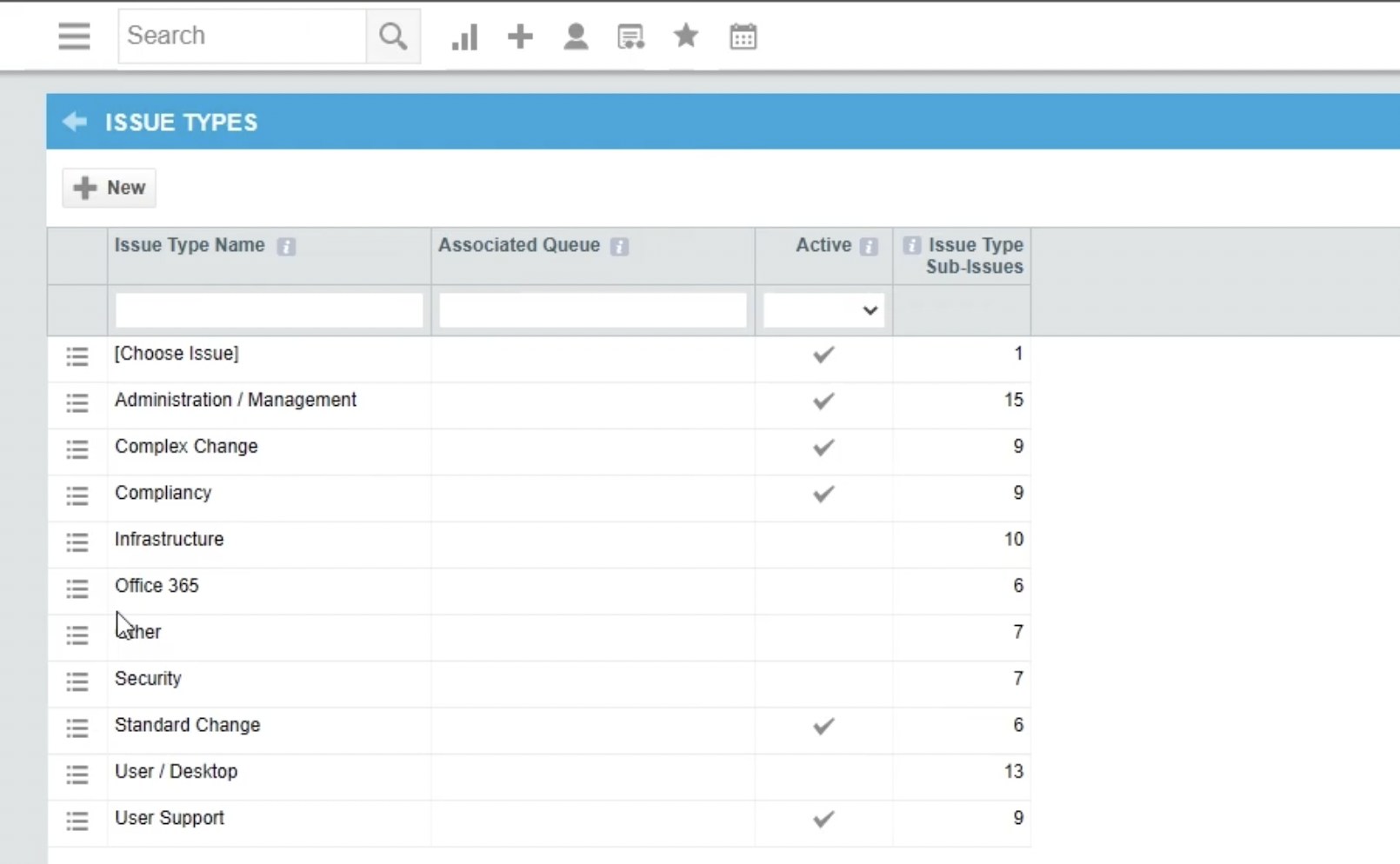
How much time does your team lose because tickets end up in the wrong place? A simple password reset ends up with the network team, while a firewall outage goes to the workplace engineers. The result: delays in handling and frustration for the customer.
But it doesn’t stop there. Misclassified tickets also cause reports and dashboards to give a distorted picture. Managers make decisions based on incorrect data that hinder rather than help operations.
These kinds of situations show exactly how important Issue Types and Sub-issue Types are. They ensure tickets immediately take the right path, that reports and dashboards are reliable, that SLAs are applied correctly, and that invoicing doesn’t cause disputes.
It helps to make clear the difference between ticket categories and issue types. Ticket categories are about the process, such as Incident, Problem, or Information Request. Issue Types are about the content: think Workplace, Telephony, or Printer.
The order is always the same: first you choose a ticket category, then an issue type, and then a sub-issue type. The issue type determines which sub-issues are visible. That enforces consistency and keeps your data reliable. This later pays off for reporting, automation, and billing.
Take the example of Workplace as an issue type. The sub-issue type makes it concrete: Office apps, Virtual workplace, or Backup. Together they make sure that a ticket does not just land anywhere, but is immediately placed in the correct context. With one glance you might see all laptop installations, for example.
Keep it simple. The fewer choices you give your team, the less confusion arises. An endless list of sub-issues might sound comprehensive, but in practice it works mainly against you. Rather focus on a clear structure that works well for your engineers. That keeps it easy to use but still provides enough information for dashboards, contract logic, and further automation.
Below is an example of how this often looks in an environment we configure for an MSP (Managed Service Provider):
| Ticketcategory | Issue | Sub-issue |
| Standard change | Workplace – SC | Adding software |
| Updates | ||
| Non-standard change | Workplace – NSC | Hardware installation |
| Make new image/package |
One of the biggest advantages of issue and sub-issue types is that they give you grip on your numbers. They form the foundation of reliable reporting and dashboards in Autotask.
With dashboard widgets and LiveReports you see patterns that otherwise remain hidden. Think of a sudden peak in Workplace Hardware tickets: often a signal that something is structurally going wrong with a certain type of hardware. Or an increase in network-alerts for one customer: that calls for proactive action before it escalates.
You can use issue/sub-issue types to make recurring errors visible. For example: how many tickets result from failed patches or a problematic onboarding? That provides leads for structural improvements.
Beyond that, finding tickets becomes easier. In ticket search you can filter by issue types and sub-issue types. So in a few clicks you can find all laptop tickets, or all headset reports for a particular client. This makes analysis, searching back and trend detection much faster and clearer.
By reporting consistently per issue type, you get not only an overview of how work is distributed, but also valuable insights per service or business unit. The key is discipline: the more consistently tickets are classified, the more reliable your dashboards. With that reliability you can really use dashboards to steer strategically on capacity, investments, and customer communication.
Issue and sub-issue types also ensure tickets immediately reach the right people. No more endless forwarding, but direct to the right place.
Suppose you work with the issue types Workplace, Network, and Telephony. A ticket like “My headset doesn't work” would automatically fall under Telephony Headset, while “Laptop won't boot” logically belongs to Workplace Hardware.
By linking this smartly to queues, tickets can automatically be routed to the right team. The result: less manual work, faster turnaround times, and engineers spending their time on what they’re good at, instead of just passing tickets around.
What is often underestimated: issue and sub-issue types are a motor for automation. If used smartly, you remove a lot of manual work from your process. Here are some examples of how we often use them:
IT Glue integration
If you link issue types to IT Glue, the correct documentation opens directly in the ticket. For example, choosing Installation/update under Network with ticket category Standard Change will immediately bring up the correct guide. The result: less searching, consistent data, and faster responses to customers.
Workflows
Workflows also benefit from issue types. There are many workflows you can build. You can, for example, personalize communication: instead of a cold message "Ticket #29384928 has been created," something like: "We've received your Microsoft request and are working on it." Small effort, big difference in customer experience.
Smart customer portal
In the customer portal you can set up a custom form per issue type. That means you align fields with the kind of request. For a new employee, you may ask name, start date, required software. For a workplace incident, you might want to know which workplace it concerns, whether there is an error message, and what has already been tried.
Issue and sub-issue types also determine contracts and billing. They determine whether a ticket falls under the agreement or must be billed extra.
Exclusion Sets
With Exclusion Sets you decide what is included in a contract (left side) and what is explicitly excluded (right side). Those exclusions can be set based on Work Types, Roles, or Sub-issues. Everything listed on the right is automatically treated by Autotask as not covered.
Also, you can link an Exclusion Contract per contract. That creates a waterfall logic:
First Autotask checks the primary contract.
If not covered, it moves to the Exclusion Contract.
If still outside, the chain continues, often ending with a Time & Materials contract for post-calculation.
This way you establish the logic once, and Autotask automatically follows the correct route, without engineers having to wonder or search.
When is this needed / not needed?
Not every MSP needs exclusions at the sub-issue level. It’s especially valuable if you work with multiple subcontracts (e.g. Azure, Connectivity, or Security), or have a broad service catalogue that must be contractually strictly separated. If you have one main contract per customer and you mainly use Time & Materials for additional work, Work Types alone are often sufficient.
Want to see how issue types, sub-issues, Roles, and Work Types together determine if something is billable and at what rate? We’ve written a separate blog about that. There we explain the triangle step by step with practical examples.
The success of issue and sub-issue types depends on how you set them up. If it’s too complicated, your engineers give up. If it’s too simple, you miss valuable insights and automation opportunities. Here are three tips to find the right balance:
Make it easy and clear for 1st line support
Choose main categories that are immediately recognizable, such as Workplace, Printer, or Telephony. Also limit the number of choices. That reduces the chance of errors and helps first-line agents register tickets faster and more consistently.
Use detail where it really adds value
Sub-issues are ideal to create added value. Think: automatic links with IT Glue; specific SLAs; or reports that give insight per detail. So use granularity where it makes your process smarter—not just to refine everything endlessly.
Don’t reuse old issue or sub-issue types
Autotask links things by ID. Once you rename old items, you pollute historical data and reports become unreliable. Better always to create a new sub-issue rather than modifying an existing one. That way your data quality stays intact.
Issue and sub-issue types may seem like details in Autotask, but in practice they determine whether your processes run smoothly or get clunky. They ensure that tickets land correctly right away, dashboards and reports are reliable, SLAs and contracts line up, and engineers spend their time on work that suits them.
The art is finding the balance: simple enough for daily use, but rich enough to give your organization insights, automation, and control.
Want to brainstorm how you can smartly configure issue and sub-issue types in your Autotask environment? Get in touch, we’d be happy to think along and show you how this makes a difference in practice.
Business development @ Proxuma
This article is reviewed by: Jasper van Horssen
Written on: Modified: