
The Perfect Project Management Dashboard in Autotask: How to Build It
Blogs
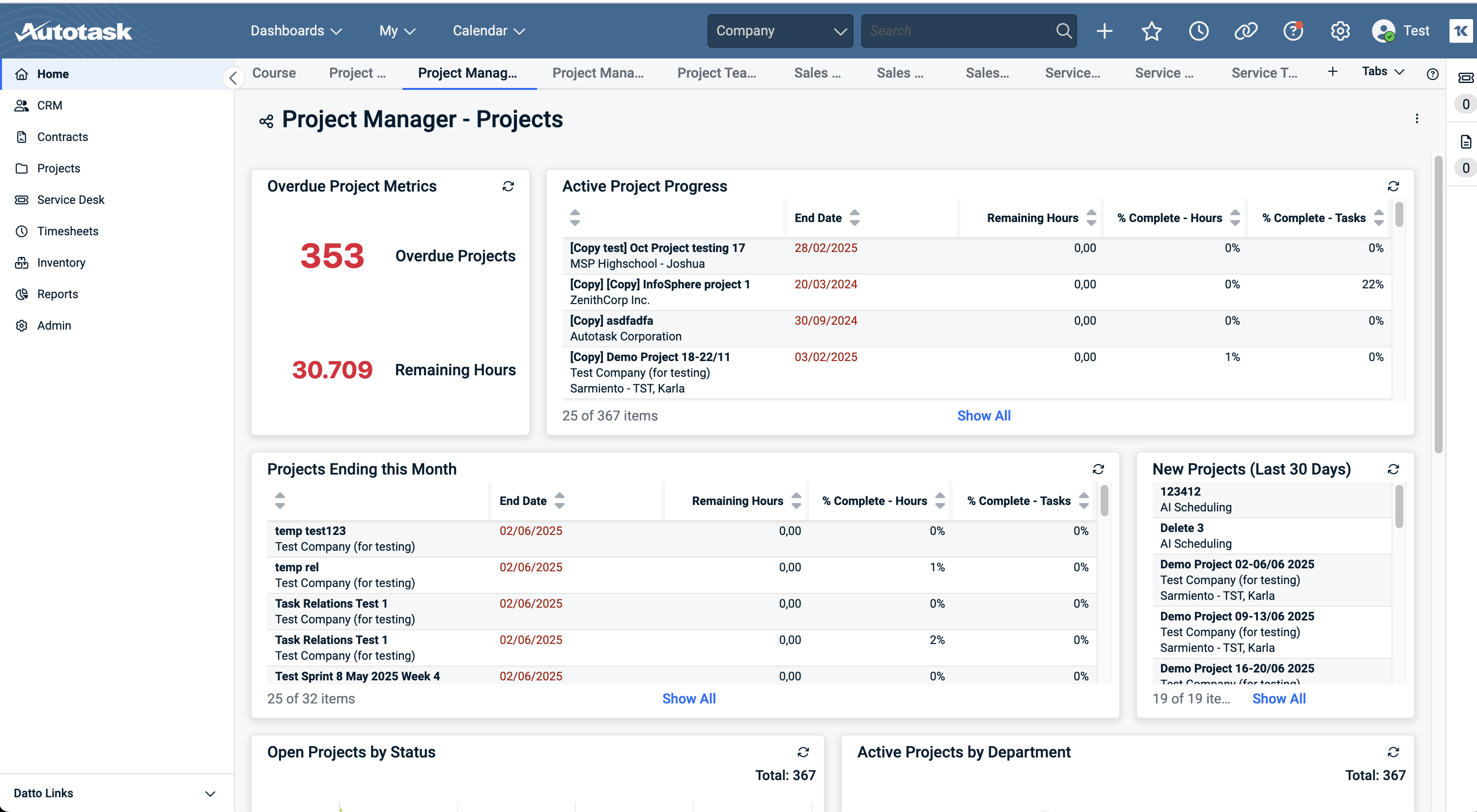
A dashboard in Autotask is the nerve center of your projects. Everything comes together here: planning, progress, risks, budgets, client satisfaction. But in reality? We often see dashboards cluttered with irrelevant widgets that add little value when it comes to control, direction, or project outcomes.
In this blog, we explain how you, as a project manager, can build a truly effective dashboard. Focused on action and decision-making. Not on noise.
1. Start with the role of the dashboard
Before adding a single widget, ask yourself: Who is this dashboard for? And what is its purpose? As a project manager, your goal is to maintain an overview of ongoing projects and to quickly identify and address risks, delays, or cost overruns. 📌 One dashboard, one role. Stay focused on the goal.2. Define the core questions for the project manager
A good project management dashboard answers questions. Not all questions at once, but the right questions for your role as project manager: Core Question examples Which projects are on track and which are not? ❓Where are planning bottlenecks emerging? ❓Are project hours being spent within budget? ❓Which milestones are at risk of being missed? ❓What is the current client satisfaction per project? Define these questions before you start building. This will help you avoid a dashboard full of "nice to have" data that provides no real value.3️⃣ Prioritize Smartly: What Goes at the Top?
Not all questions are equally urgent. For each one, assess: Impact on project goals (high, medium, low), decision frequency (daily, weekly, monthly), and data availability (live, delayed, manual). ➡️ Decision frequency (daily, weekly, monthly) ➡️ Data availability (live, delayed, manual) Use these factors to prioritize your widgets: • High impact + needed daily • High impact + needed weekly • Medium impact + needed daily ... and so on. 📊 Always make sure the most important insights are immediately visible.Conclusion: build a dashboard that drives results
Part of our Autotask Project Management Guide
An effective project management dashboard in Autotask starts with structure: role, questions, priorities. Not with whichever chart happens to "look nice". If you follow this approach, you will create a dashboard that: ...you'll get a dashboard that drives results, fits your role as project manager, and shows information that actually matters. ✅ Aligns with your role as project manager ✅ Displays information that actually matters Use this as a guide to critically review and improve your current dashboards. Or start fresh, with clear focus. 🔧 Looking to make project dashboards and planning in Autotask even more effective? Tools like Proxuma help project managers streamline resource planning, bulk adjust project tasks and manage timelines with far less manual work.